
Genblaze — open-source SDK for generative multimedia pipelines
Orchestrate AI video, audio & image providers in Python with provenance built into every output.
 Learn more
Loading star history...
Health Score
75
Weekly Growth
+0
+0.0% this week
Contributors
59
Total contributors
Open Issues
380
Use Cases & Benefits
About FUXA
FUXA
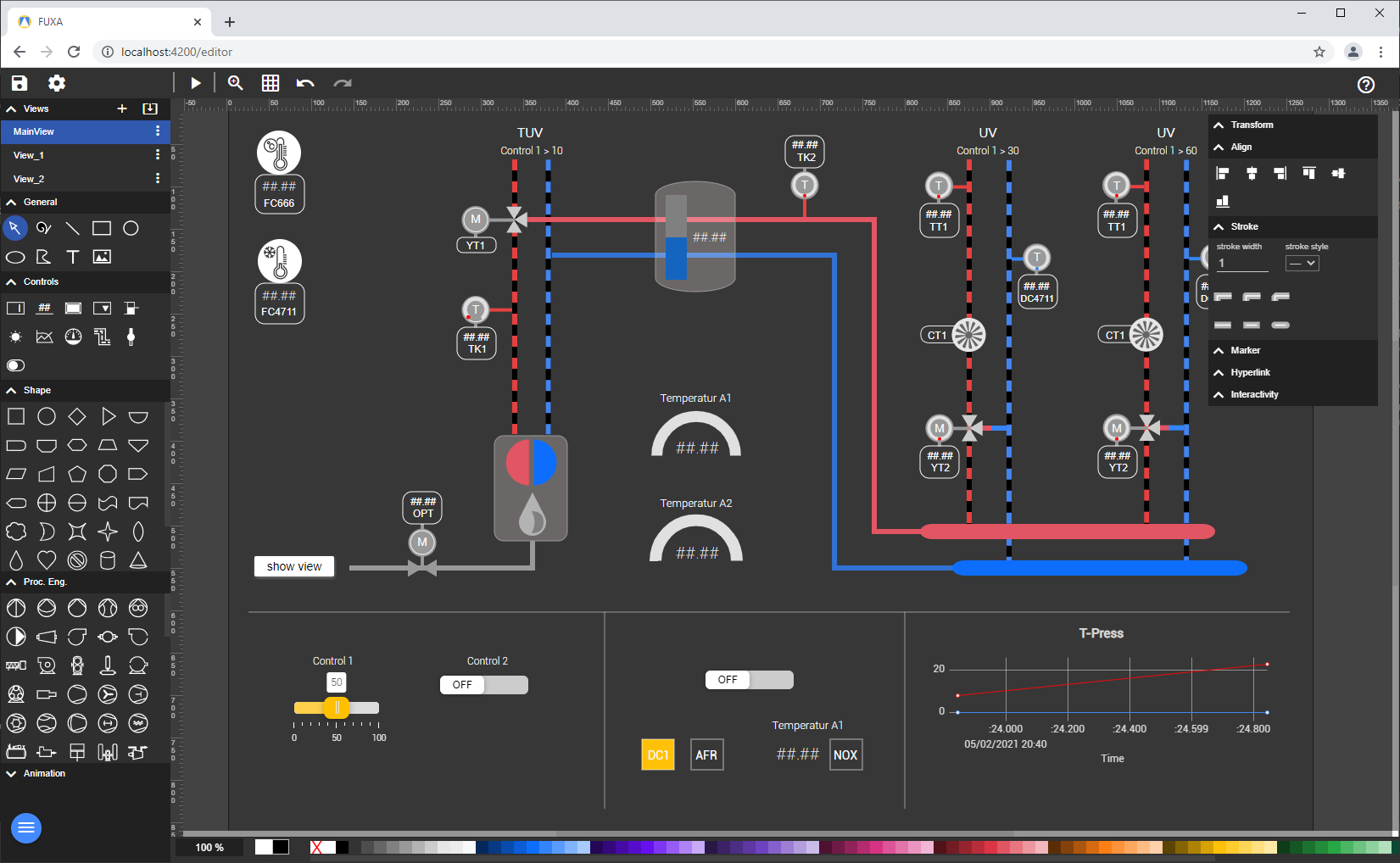
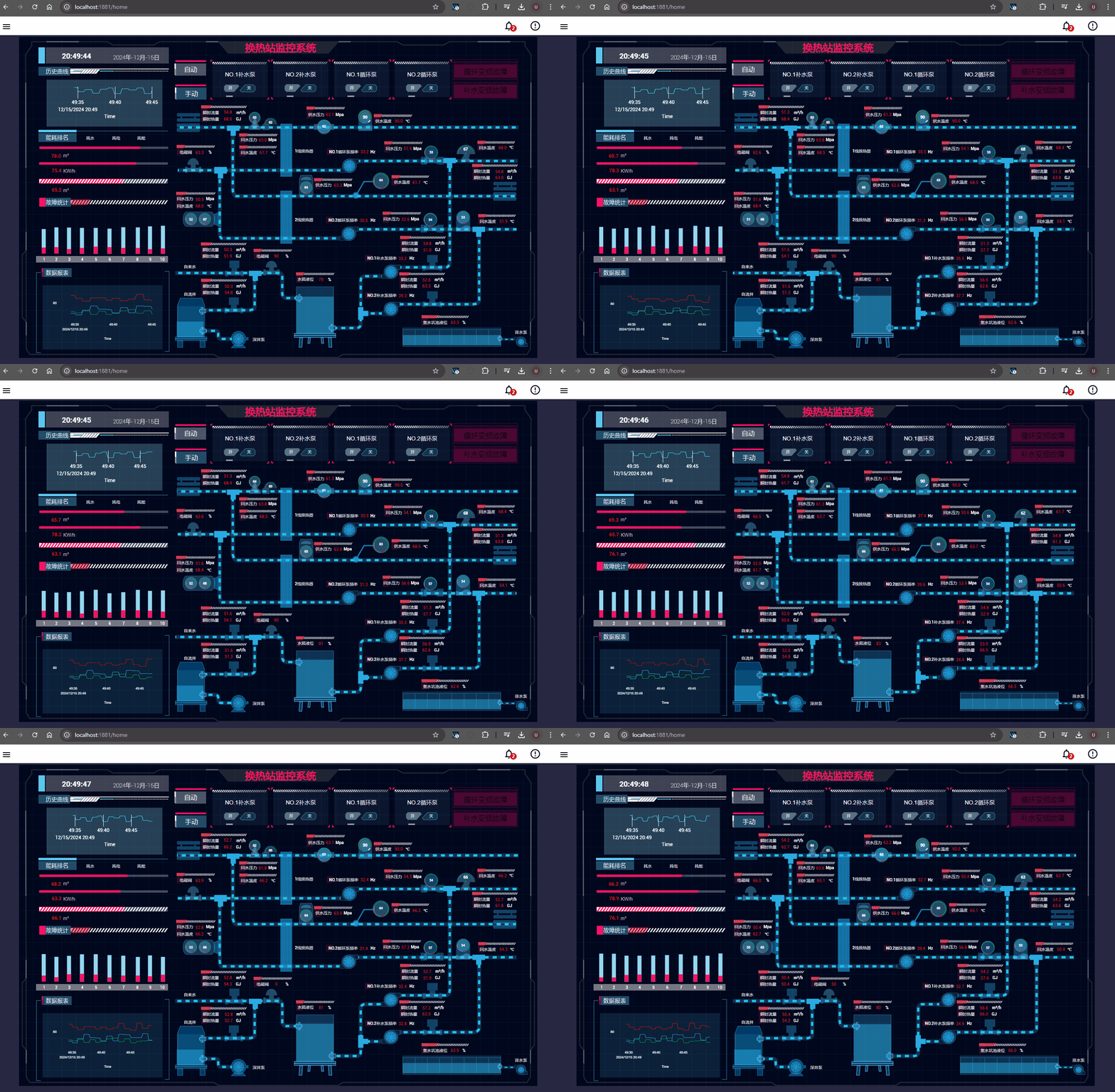
FUXA is a web-based Process Visualization (SCADA/HMI/Dashboard) software. With FUXA you can create modern process visualizations with individual designs for your machines and real-time data display.
Features
- Devices connectivity with Modbus RTU/TCP, Siemens S7 Protocol, OPC-UA, BACnet IP, MQTT, Ethernet/IP (Allen Bradley), ODBC, ADSclient, Gpio (Raspberry), WebCam, MELSEC, Redis
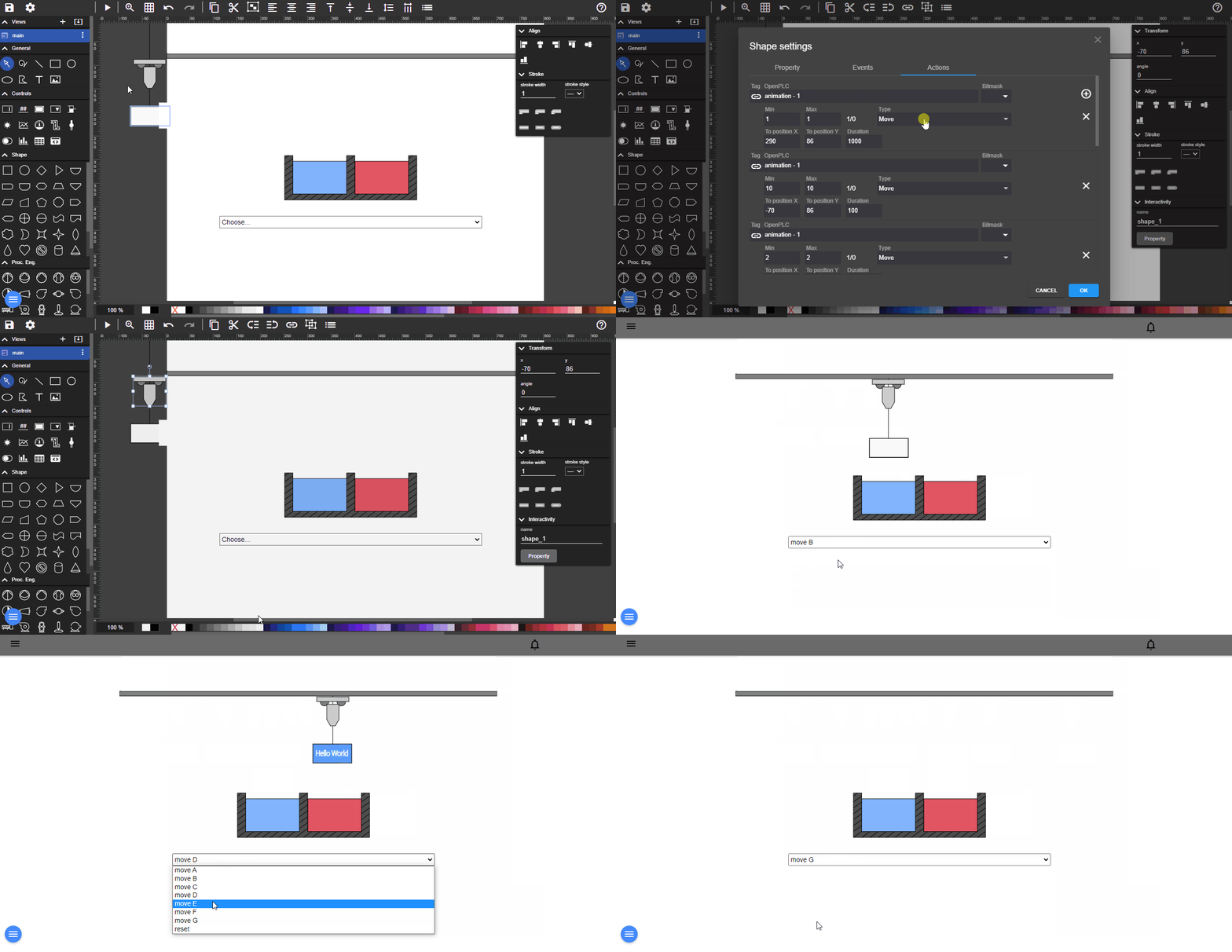
- SCADA/HMI Web-Editor - Engineering and Design completely web-based
- Cross-Platform Full-Stack - Backend with NodeJs and Frontend with Web technologies (HTML5, CSS, Javascript, Angular, SVG)
Live Demo
Here is a live demo example of FUXA editor.
Installing and Running
FUXA is developed with NodeJS (backend) and Angular (frontend).
See the Wiki for more details about installing and getting started
1° Option - Running from docker
docker pull frangoteam/fuxa:latest
docker run -d -p 1881:1881 frangoteam/fuxa:latest

// persistent storage of application data (project), daq (tags history), logs and images (resource)
docker run -d -p 1881:1881 -v fuxa_appdata:/usr/src/app/FUXA/server/_appdata -v fuxa_db:/usr/src/app/FUXA/server/_db -v fuxa_logs:/usr/src/app/FUXA/server/_logs -v fuxa_images:/usr/src/app/FUXA/server/_images frangoteam/fuxa:latest

// with Docker compose
// persistent storage will be at ./appdata ./db ./logs and ./images
wget https://raw.githubusercontent.com/frangoteam/FUXA/master/compose.yml
docker compose up -d
Open up a browser (better Chrome) and navigate to http://localhost:1881
2° Option - Install from source
Download the latest release and unpack it
You need to have installed Node.js
- Recommended: Node.js 18 LTS
Note Starting from FUXA 1.2.7, Node.js 14 and older versions are not supported due to upstream dependency updates.
WARNING On Linux systems (especially Raspberry Pi), installing native dependencies with Node.js 18 may require additional build tools.
If you do not intend to use specific features, you can safely remove them from server/package.json:
- Remove
node-snap7if you do not need Siemens S7 communication - Remove
odbcif you do not need external database connectivity
cd ./server
npm install
npm start
Open up a browser (better Chrome) and navigate to http://localhost:1881
3° Option - Install from NPM
You need to have installed Node.js
- Recommended: Node.js 18 LTS
WARNING In linux with nodejs Version 18 the installation could be a challenge. If you don't intend communicate with Siemens PLCs via S7 (node-snap7 library) you can install from NPM @frangoteam/fuxa-min
npm install -g --unsafe-perm @frangoteam/fuxa
fuxa
Open up a browser (better Chrome) and navigate to http://localhost:1881
4° Option - Install using prebuilt Electron Packages
You will need to be logged into github to access the download button for Electron Action Builds, click on the workflow and scroll down to Artifacts and click the download icon for you system
Creating the Electron Application
Electron is a framework for building cross-platform desktop applications using web technologies. An Electron application is standalone, meaning it can be run independently on your desktop without needing a web browser.
To create the Electron application, you need to have node.js 18 installed. Follow these steps:
Build Server and Client First
cd ./server
npm install
cd ../client
npm install
npm run build
Packaging
cd ./app
npm install
npm run package
After following these steps, you will have a standalone Electron application for FUXA. The application can be found in the ./app directory.
Usage
- Look the guide in wiki pages
- Look video from frangoteam
- Look video from Fusion Automate - Urvish Nakum
Community SVG Widgets
Looking for ready-made, reusable SVG widgets? Check out the companion repository FUXA-SVG-Widgets:
- Repository: https://github.com/frangoteam/FUXA-SVG-Widgets
- Authoring guide & examples: see the repo README and the Wiki page: https://github.com/frangoteam/FUXA/wiki/HowTo-Widgets
To Debug (Full Stack)
Install and start to serve the frontend
cd ./client
npm install
npm start
Start the Server and Client (Browser) in Debug Mode
In vscode: Debug ‘Server & Client’
To Build
Build the frontend for production
cd ./client
ng build --configuration=production
Contributing
Any contributions you make are greatly appreciated. If you identify any errors, or have an idea for an improvement, please open an issue. But before filing a new issue, please look through already existing issues. Search open and closed issues first.
Non-code contributions are also highly appreciated, such as improving the documentation or promoting FUXA on social media.
Pull-Requests
If you want to raise a pull-request with a new feature, or a refactoring of existing code please first open an issue explaining the problem.
1. Fork the Project
2. Create your Feature Branch (git checkout -b feature/AmazingFeature)
3. Commit your Changes (git commit -m 'Add some AmazingFeature')
4. Push to the Branch (git push origin feature/AmazingFeature)
5. Open a Pull Request
Coding standards
Please ensure you follow the coding standards used through-out the existing code base. Some basic rules include:
- Indent with 4-spaces, no tabs.
- Opening brace on same line as if/for/function and so on, closing brace on its own line.
Let us know!
We’d be really happy if you send us your own shapes in order to collect a library to share it with others. Just send an email to [email protected] and do let us know if you have any questions or suggestions regarding our work.
License
MIT.
Discover Repositories
Search across tracked repositories by name or description