
tw93/Mole
🐹 Clean, uninstall, analyze, optimize, and monitor your Mac. Free open-source CLI, plus a native Mac app.
Build with Backblaze B2
SDKs, agent skills, IDE extensions, and reference pipelines from Backblaze Labs. All open source.
Loading star history...
Use Cases & Benefits
- Provides a unified command-line toolkit to clean, uninstall, analyze, optimize, and monitor Mac systems.
- Combines features of multiple Mac utilities into a single binary for comprehensive system maintenance.
- Use for deep cleaning caches, logs, and browser leftovers to reclaim significant disk space.
- Use for smart uninstallation of applications including removal of related files and launch agents.
- Use for real-time system monitoring and performance diagnostics via a live dashboard in the terminal.
About Mole
Mole
Deep clean and optimize your Mac.






Features
- Unified toolkit: Consolidated features of CleanMyMac, AppCleaner, DaisyDisk, and iStat into a single binary
- Deep cleaning: Scans and removes caches, logs, and browser leftovers to reclaim gigabytes of space
- Smart uninstaller: Thoroughly removes apps along with launch agents, preferences, and hidden remnants
- Disk insights: Visualizes usage, manages large files, rebuilds caches, and refreshes system services
- Live monitoring: Real-time stats for CPU, GPU, memory, disk, and network to diagnose performance issues
Quick Start
Installation:
curl -fsSL https://raw.githubusercontent.com/tw93/mole/main/install.sh | bash
Or via Homebrew:
brew install tw93/tap/mole
Run:
mo                           # Interactive menu
mo clean                     # Deep cleanup
mo uninstall                 # Remove apps + leftovers
mo optimize                  # Refresh caches & services
mo analyze                   # Visual disk explorer
mo status                    # Live system health dashboard
mo purge                     # Clean project build artifacts

mo touchid                   # Configure Touch ID for sudo
mo update                    # Update Mole
mo remove                    # Remove Mole from system
mo --help                    # Show help
mo --version                 # Show installed version

mo clean --dry-run           # Preview the cleanup plan
mo clean --whitelist         # Manage protected caches
mo uninstall --force-rescan  # Rescan applications and refresh cache
mo optimize --whitelist      # Manage protected optimization rules
Tips
- Terminal: iTerm2 has known compatibility issues; we recommend Alacritty, kitty, WezTerm, Ghostty, or Warp.
- Safety: Built with strict protections. See our Security Audit. Preview changes with
mo clean --dry-run. - Whitelist: Manage protected paths with
mo clean --whitelist. - Touch ID: Enable Touch ID for sudo commands by running
mo touchid. - Navigation: Supports standard arrow keys and Vim bindings (
h/j/k/l). - Debug: View detailed logs by appending the
--debugflag (e.g.,mo clean --debug).
Features in Detail
Deep System Cleanup
$ mo clean

Scanning cache directories...

  ✓ User app cache                                           45.2GB
  ✓ Browser cache (Chrome, Safari, Firefox)                  10.5GB
  ✓ Developer tools (Xcode, Node.js, npm)                    23.3GB
  ✓ System logs and temp files                                3.8GB
  ✓ App-specific cache (Spotify, Dropbox, Slack)              8.4GB
  ✓ Trash                                                    12.3GB

====================================================================
Space freed: 95.5GB | Free space now: 223.5GB
====================================================================
Smart App Uninstaller
$ mo uninstall

Select Apps to Remove
═══════════════════════════
▶ ☑ Adobe Creative Cloud      (9.4G) | Old
  ☐ WeChat                    (2.1G) | Recent
  ☐ Final Cut Pro             (3.8G) | Recent

Uninstalling: Adobe Creative Cloud

  ✓ Removed application
  ✓ Cleaned 52 related files across 12 locations
    - Application Support, Caches, Preferences
    - Logs, WebKit storage, Cookies
    - Extensions, Plugins, Launch daemons

====================================================================
Space freed: 12.8GB
====================================================================
System Optimization
$ mo optimize

System: 5/32 GB RAM | 333/460 GB Disk (72%) | Uptime 6d

  ✓ Rebuild system databases and clear caches
  ✓ Reset network services
  ✓ Refresh Finder and Dock
  ✓ Clean diagnostic and crash logs
  ✓ Remove swap files and restart dynamic pager
  ✓ Rebuild launch services and spotlight index

====================================================================
System optimization completed
====================================================================

Use `mo optimize --whitelist` to protect specific optimization items from being run.
Disk Space Analyzer
$ mo analyze

Analyze Disk  ~/Documents  |  Total: 156.8GB

 ▶  1. ███████████████████  48.2%  |  📁 Library                     75.4GB  >6mo
    2. ██████████░░░░░░░░░  22.1%  |  📁 Downloads                   34.6GB
    3. ████░░░░░░░░░░░░░░░  14.3%  |  📁 Movies                      22.4GB
    4. ███░░░░░░░░░░░░░░░░  10.8%  |  📁 Documents                   16.9GB
    5. ██░░░░░░░░░░░░░░░░░   5.2%  |  📄 backup_2023.zip              8.2GB

  ↑↓←→ Navigate  |  O Open  |  F Show  |  ⌫ Delete  |  L Large(24)  |  Q Quit
Live System Status
Real-time dashboard with system health score, hardware info, and performance metrics.
$ mo status

Mole Status  Health ● 92  MacBook Pro · M4 Pro · 32GB · macOS 14.5

⚙ CPU                                    ▦ Memory
Total   ████████████░░░░░░░  45.2%       Used    ███████████░░░░░░░  58.4%
Load    0.82 / 1.05 / 1.23 (8 cores)     Total   14.2 / 24.0 GB
Core 1  ███████████████░░░░  78.3%       Free    ████████░░░░░░░░░░  41.6%
Core 2  ████████████░░░░░░░  62.1%       Avail   9.8 GB

▤ Disk                                   ⚡ Power
Used    █████████████░░░░░░  67.2%       Level   ██████████████████  100%
Free    156.3 GB                         Status  Charged
Read    ▮▯▯▯▯  2.1 MB/s                  Health  Normal · 423 cycles
Write   ▮▮▮▯▯  18.3 MB/s                 Temp    58°C · 1200 RPM

⇅ Network                                ▶ Processes
Down    ▮▮▯▯▯  3.2 MB/s                  Code       ▮▮▮▮▯  42.1%
Up      ▮▯▯▯▯  0.8 MB/s                  Chrome     ▮▮▮▯▯  28.3%
Proxy   HTTP · 192.168.1.100             Terminal   ▮▯▯▯▯  12.5%
Health score based on CPU, memory, disk, temperature, and I/O load. Color-coded by range.
Project Artifact Purge
Clean old build artifacts (node_modules, target, build, dist, etc.) from your projects to free up disk space.
mo purge

Select Categories to Clean - 18.5GB (8 selected)

➤ ● my-react-app       3.2GB | node_modules
  ● old-project        2.8GB | node_modules
  ● rust-app           4.1GB | target
  ● next-blog          1.9GB | node_modules
  ○ current-work       856MB | node_modules  | Recent
  ● django-api         2.3GB | venv
  ● vue-dashboard      1.7GB | node_modules
  ● backend-service    2.5GB | node_modules
Use with caution: This will permanently delete selected artifacts. Review carefully before confirming. Recent projects (< 7 days) are marked and unselected by default.
Quick Launchers
Launch Mole commands instantly from Raycast or Alfred:
curl -fsSL https://raw.githubusercontent.com/tw93/Mole/main/scripts/setup-quick-launchers.sh | bash
Adds 5 commands: clean, uninstall, optimize, analyze, status. Mole automatically detects your terminal, or you can set MO_LAUNCHER_APP=<name> to override. For Raycast, run "Reload Script Directories" to load the new commands.
Community Love

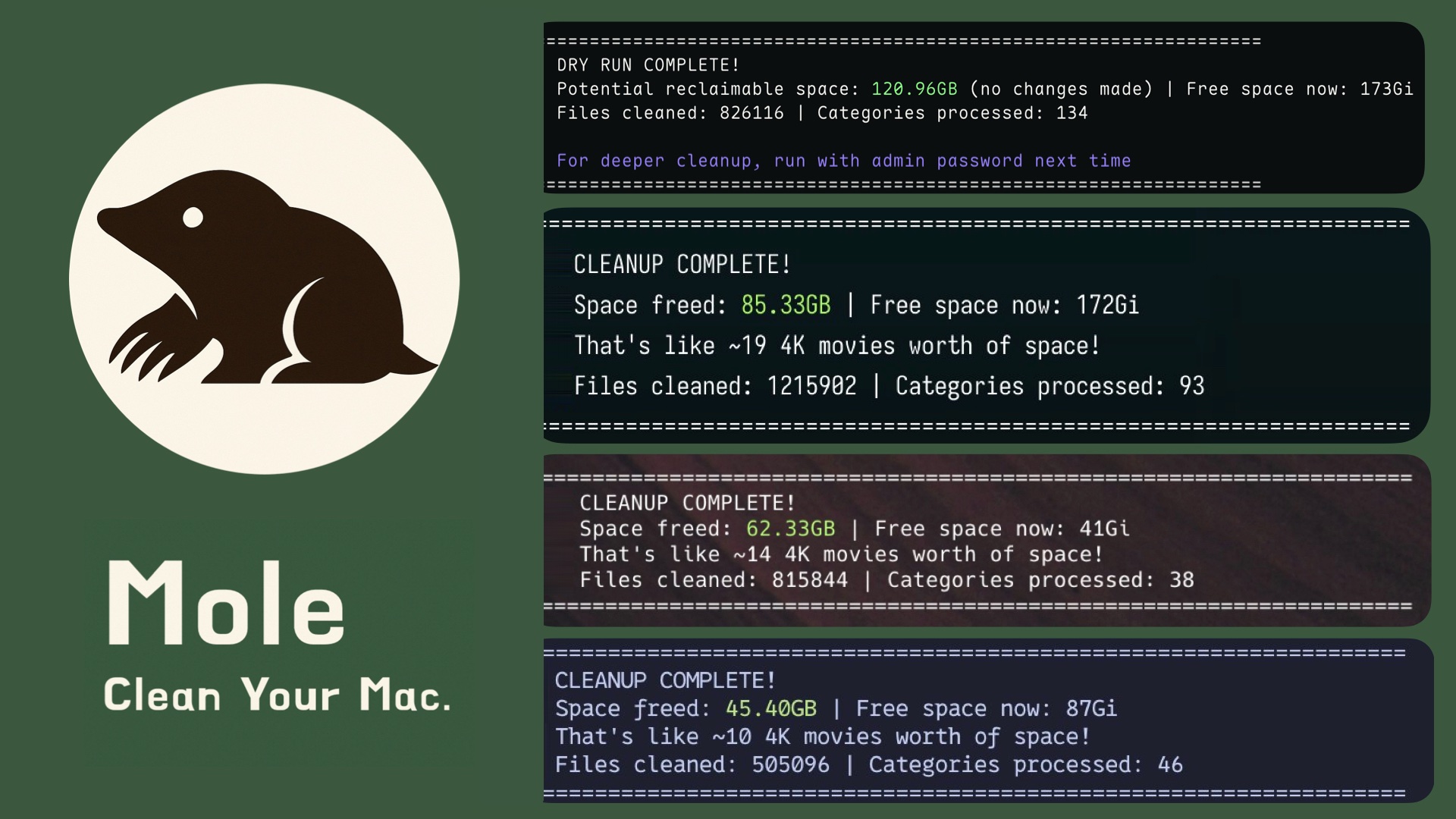
Users from around the world are loving Mole! Join the community and share your experience.
Support

- If Mole saved you space, consider starring the repo or sharing it with friends who need a cleaner Mac.
- Have ideas or fixes? Open an issue or PR to help shape Mole's future with the community.
- Love cats? Treat Tangyuan and Cola to canned food via this link to keep our mascots purring.
License
MIT License - feel free to enjoy and participate in open source.
Discover Repositories
Search across tracked repositories by name or description