
iOfficeAI/AionUi
Open-source 24/7 Cowork app for OpenClaw, Hermes, Claude Code, Codex, OpenCode and 20+ more CLI Agent | Customize your assistants | Team them up|Star if you like it!
Build with Backblaze B2
SDKs, agent skills, IDE extensions, and reference pipelines from Backblaze Labs. All open source.
Loading star history...
Use Cases & Benefits
- Transforms command-line AI agents into a modern, multi-agent chat interface with integrated AI image generation and file management.
- Offers seamless multi-model and multi-agent integration with persistent multi-conversation support and remote WebUI access for flexible workflows.
- Use for managing and interacting with multiple AI assistants simultaneously in a unified graphical interface.
- Use for AI-powered file organization, batch renaming, and Excel data processing to enhance productivity.
- Use for remotely controlling AI assistants on servers or local machines via secure WebUI from any device on the network.
About AionUi






Transform your command-line experience into a modern, efficient AI Chat interface.
English | 简体中文 | 日本語 |Official Site | Twitter
🚀 What Can AionUi Do?

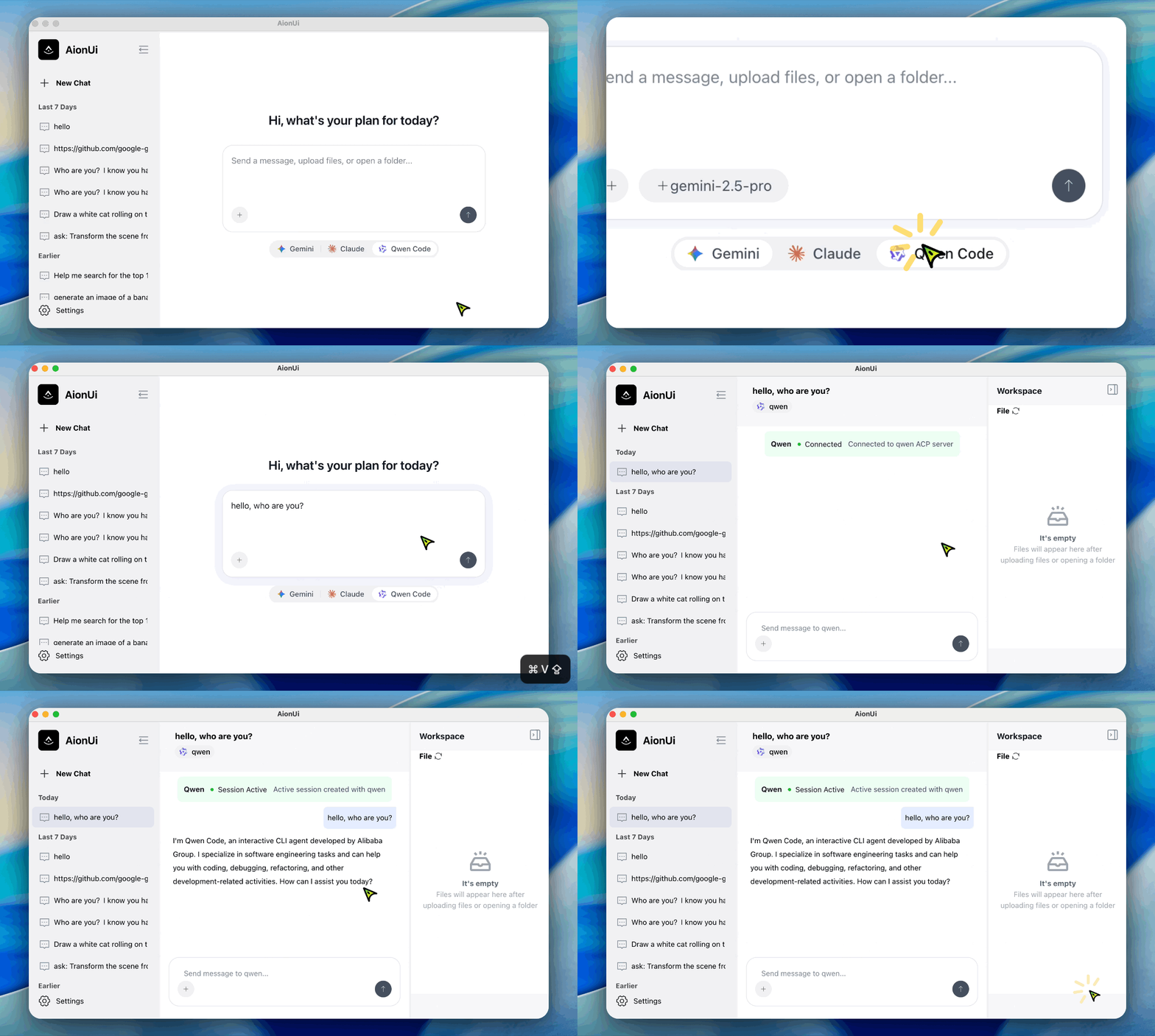
🤖 Multi-Agent Mode
Seamlessly integrate multiple terminal AI agents - Gemini CLI, Claude Code, Qwen Code, Codex and more
🎨 AI Image Generation & Editing
Intelligent image generation, editing, and recognition powered by Gemini 2.5 Flash Image Preview - the most advanced image model, with support for other leading AI image models
💡 Need help setting up free image generation? Follow the tutorial to configure image generation models - Complete step-by-step guide for OpenRouter setup and free Gemini 2.5 Flash Image Preview configuration.
📁 Organizing Your Files
Batch renaming, auto organization, smart classification, file merging

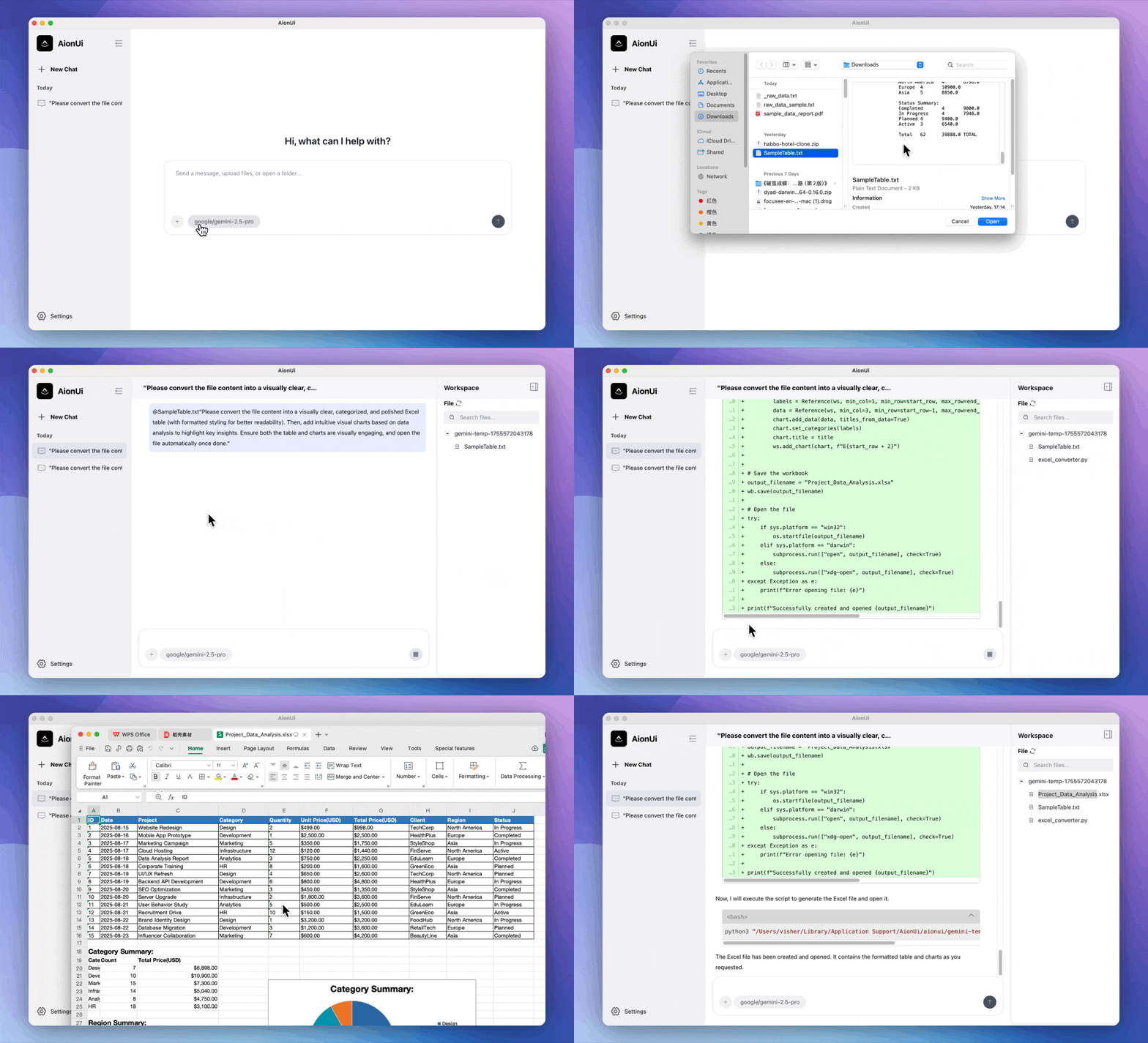
📊 Make Excel Smarter
AI helps you create, organize, analyze, and beautify Excel files
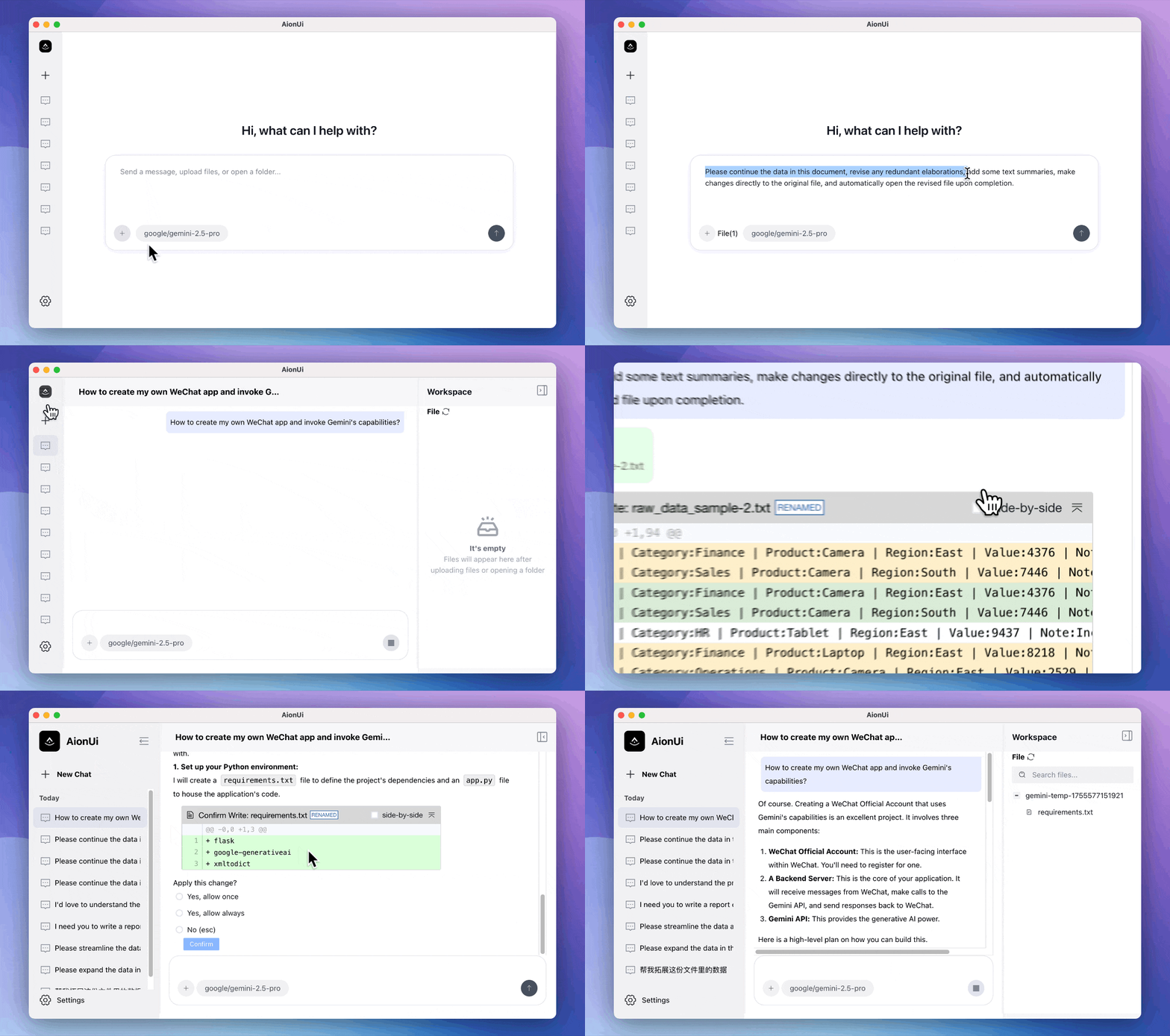
💬 Handle Multiple Tasks at Once
Multiple conversations, no task confusion, independent memory, double efficiency
🌐 Access AionUi from Anywhere - WebUI Mode
Remote Control Your AI Assistant - Access AionUi from any device on your network! Securely control your local Agent with data staying on your device
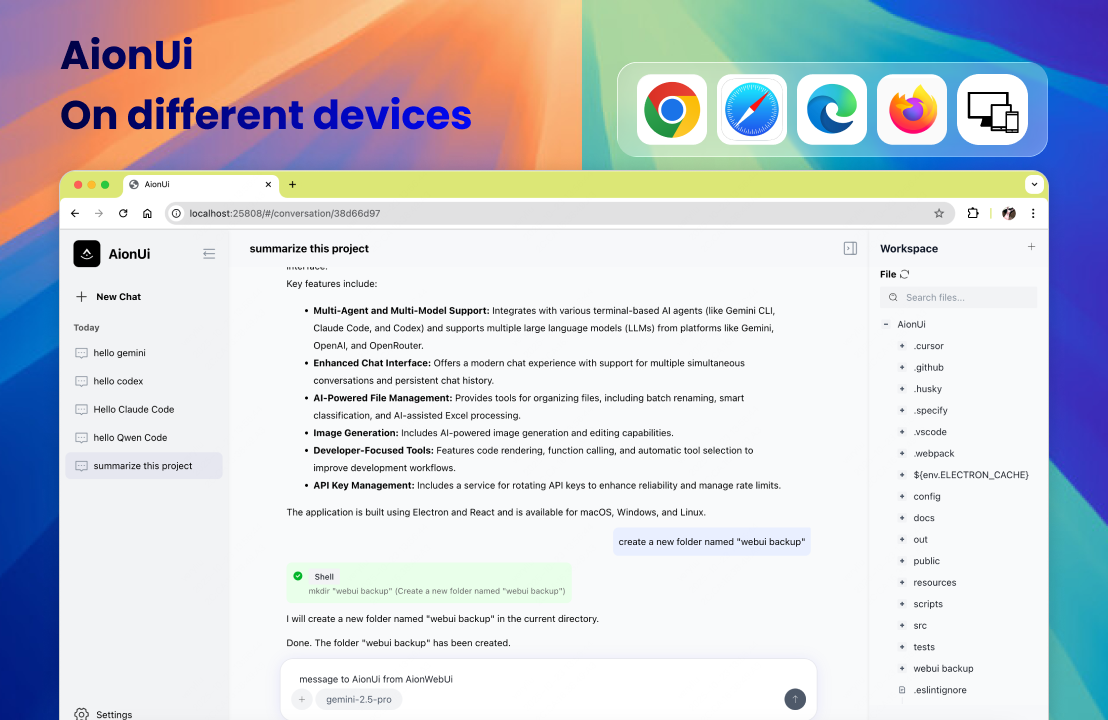
💡 Perfect for Server Deployment - Run AionUi 24/7 on Linux servers without desktop environment and access it remotely from anywhere!
This is just the tip of AionUi's capabilities! 🚀
Want to explore more features? Keep reading to discover what else AionUi can help you with:
- 🎯 Write code, create documents, analyze data
- 🗂️ Learn new things, answer questions, translate text
- ⚡ And many more daily work and learning scenarios
📋 Table of Contents
- 🤔 Why does AionUi exist?
- 🎯 AionUi Use Cases
- ✨ Key Features
- 🚀 Quick Start
- 📚 Documentation
- 🤝 Community & Support
- 📄 License
🤔 Why does AionUi exist?
While the official Gemini CLI is powerful, its command-line interface has limitations for daily use. AionUi provides a GUI alternative that addresses these key pain points:
- Using the
@command to select files is cumbersome- Conversations are lost when closing the CLI window
- Command-line interface lacks natural chat interactions
- Single conversation mode limits parallel workflows
- Restricted to Gemini models only, unable to use other excellent large language models
AionUi provides a modern interface for users who need better workflow efficiency, while breaking the single-model limitation, allowing you to choose the most suitable AI model for different task requirements.
✨ Key Features
💬 Better Chat Experience
- Multi-Conversation - Open multiple chats simultaneously, no interference
- Permanent Storage - All conversations saved locally, never lost
- Modern Interface - Chat interface like WeChat, simple to use
- Multi-Model Support - Not just Gemini, can use other AI models too
🗂️ File Management Made Simple
- File Tree Browsing - Browse files like folders, click to use
- File Upload - Drag and drop files, AI helps you process
- Code Comparison - File before/after comparison, clear at a glance
- Smart Organization - AI helps organize folders, automatic classification
- Excel Processing - AI helps create and modify Excel files
⚡ Development Efficiency Boost
- Function Calling - Complete Gemini API, more powerful features
- Code Rendering - Code blocks display more beautifully, format clearer
- Tool Scheduling - Automatically select most suitable tools, no manual selection needed
🤖 Multi-Agent Integration
- Multi-Terminal Agent Support - Seamlessly integrate with various terminal AI agents (Gemini CLI, Claude Code, Qwen Code, Codex, etc.)
- Dynamic CLI Detection - Automatic backend discovery and CLI path detection
- Secure Authentication - OAuth support and secure authentication flows
- Real-time Monitoring - Live connection status and backend health monitoring
- Unified Interface - All terminal AI agents accessible through the same chat interface
🔌 MCP Tool Management
- MCP Server Configuration - Add, edit, and manage Model Context Protocol servers
- Multiple Import Methods - Import from JSON configuration or CLI with one-click setup
- Tool Discovery - Automatically discover and list available tools from MCP servers
- Connection Testing - Real-time testing of MCP server connections and health status
- Multi-Agent Sync - Synchronize MCP configurations across different AI agents
- Tool Management - Enable/disable tools, view parameters and tool descriptions
🔄 Multi-API Key Rotation Service
- Multi-Key Rotation - Automatic rotation of multiple API keys for enhanced reliability
- Intelligent Error Recovery - Time-based blacklisting (90s) with automatic retry mechanisms
- High Availability - Seamless failover between API keys to prevent service interruptions
- Rate Limit Handling - Smart retry logic that respects API rate limits and quotas
- Performance Optimization - Reduced downtime and improved API call success rates
🎨 AI Image Generation & Editing
- Smart Image Generation - Powered by Gemini 2.5 Flash Image Preview, the most advanced image model
- Multi-Model Support - Also supports other leading AI image models for diverse creative needs
- Intelligent Editing - AI-powered image editing and enhancement capabilities
- Image Recognition - Advanced image analysis and understanding
- High-Quality Output - Professional-grade image generation with detailed control
🌐 WebUI Remote Access
- Cross-Device Access - Access AionUi from any device on your network via web browser
- Remote Control Local Agent - Securely control your local AI Agent without data transmission
- Secure Authentication - User login protection ensures your AI conversations and data are safe
- Server Deployment - Perfect for running AionUi 24/7 on Linux servers without desktop environment
- Smart Network Detection - Automatically detects and displays the best network address for connection
- Local Data Security - All conversations, settings, and configurations stored locally using SQLite database
- Remote Control - Control your AI assistant from phone, tablet, or any computer on the network
🔧 Settings Are Simple
- Multi-Platform Support - Support Gemini, OpenAI, ModelScope, OpenRouter, etc.
- Flexible Configuration - Each platform can configure multiple models, support custom addresses
- Easy Login - Support Google account login or API Key authentication, flexible choice
- Auto Fix - Automatically detect and fix configuration issues, no manual debugging needed
🚀 Quick Start
📥 Download
Ready to try AionUi? Download the latest version for your platform from our releases page:

🔧 Simple Installation
- Download and install AionUi application
- Configure AI service - Support Google account login or API Key authentication
- Start using - Experience modern AI chat interface immediately
💡 Need detailed configuration guide? Check our Complete Installation Tutorial
📚 Documentation
🚀 Quick Start
- 📖 Complete Installation Guide - Detailed steps from download to configuration
- ⚙️ LLM Configuration Guide - Multi-platform AI model configuration
- 🤖 Multi-Agent Mode Setup - Integrate terminal AI agents
- 🔌 MCP Tool Configuration - Model Context Protocol server setup
- 🎨 Image Generation Configuration - AI image generation setup tutorial
- 🌐 WebUI Configuration Guide - Complete WebUI setup and configuration
🎯 Use Cases
- 📁 File Management - Smart file organization
- 📊 Excel Processing - AI-driven data processing
- 🎨 Image Generation - AI image creation
- 📚 More Use Cases
❓ Support & Help
- ❓ FAQ - Questions and troubleshooting
- 🔧 Configuration & Usage Tutorial - Complete configuration documentation
🤝 Community & Support
💬 Community
- 💬 GitHub Discussions - Share experiences and get help
- 🐛 Report Issues - Report bugs or feature requests
- 📦 Releases - Get latest updates
🤝 Contributing
Issues and Pull Requests are welcome!
- Fork this project
- Create a feature branch (
git checkout -b feature/AmazingFeature) - Commit your changes (
git commit -m 'Add some AmazingFeature') - Push to the branch (
git push origin feature/AmazingFeature) - Open a Pull Request
📄 License
This project is licensed under the Apache-2.0 License.
👥 Contributors
Thanks to all developers who contributed to AionUi!
📊 Star History
⭐ Star the repo if you like it
Discover Repositories
Search across tracked repositories by name or description