
firecrawl/open-lovable
#348 this week
🔥 Clone and recreate any website as a modern React app in seconds
28.4K stars
5.4K forks
28.4K GitHub watchers
Updated 9/16/2026
Build with Backblaze B2
SDKs, agent skills, IDE extensions, and reference pipelines from Backblaze Labs. All open source.
Loading star history...
Use Cases & Benefits
- Enables cloning and recreating any website as a modern React application instantly using AI.
- Accelerates React app development by automating website cloning with AI-driven code generation.
- Use for quickly prototyping React versions of existing websites for UI/UX testing.
- Use for developers needing to migrate legacy sites to React without manual rewriting.
- Use for learning React app structure by examining AI-generated code from real websites.
About open-lovable
Open Lovable
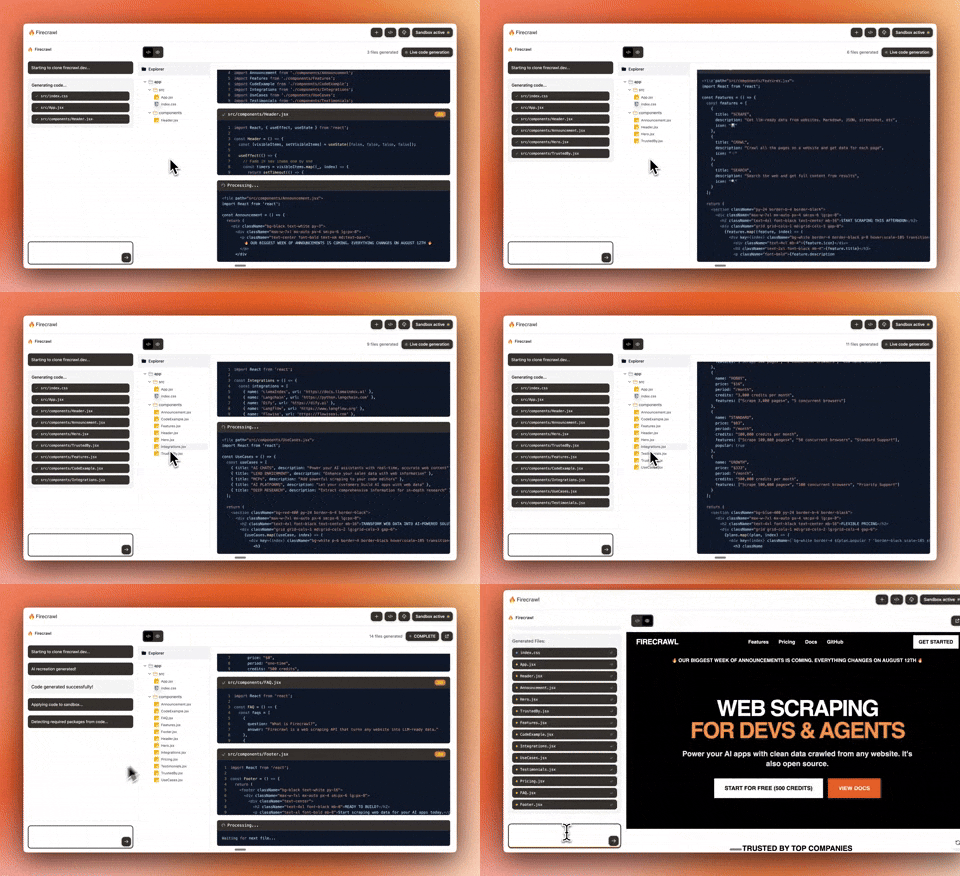
Chat with AI to build React apps instantly. An example app made by the Firecrawl team. For a complete cloud solution, check out Lovable.dev ❤️.
Setup
- Clone & Install
git clone https://github.com/firecrawl/open-lovable.git
cd open-lovable
pnpm install  # or npm install / yarn install
- Add
.env.local
# =================================================================
# REQUIRED
# =================================================================
FIRECRAWL_API_KEY=your_firecrawl_api_key    # https://firecrawl.dev

# =================================================================
# AI PROVIDER - Choose your LLM
# =================================================================
GEMINI_API_KEY=your_gemini_api_key        # https://aistudio.google.com/app/apikey
ANTHROPIC_API_KEY=your_anthropic_api_key  # https://console.anthropic.com
OPENAI_API_KEY=your_openai_api_key        # https://platform.openai.com
GROQ_API_KEY=your_groq_api_key            # https://console.groq.com

# =================================================================
# FAST APPLY (Optional - for faster edits)
# =================================================================
MORPH_API_KEY=your_morphllm_api_key    # https://morphllm.com/dashboard

# =================================================================
# SANDBOX PROVIDER - Choose ONE: Vercel (default) or E2B
# =================================================================
SANDBOX_PROVIDER=vercel  # or 'e2b'

# Option 1: Vercel Sandbox (default)
# Choose one authentication method:

# Method A: OIDC Token (recommended for development)
# Run `vercel link` then `vercel env pull` to get VERCEL_OIDC_TOKEN automatically
VERCEL_OIDC_TOKEN=auto_generated_by_vercel_env_pull

# Method B: Personal Access Token (for production or when OIDC unavailable)
# VERCEL_TEAM_ID=team_xxxxxxxxx      # Your Vercel team ID
# VERCEL_PROJECT_ID=prj_xxxxxxxxx    # Your Vercel project ID
# VERCEL_TOKEN=vercel_xxxxxxxxxxxx   # Personal access token from Vercel dashboard

# Option 2: E2B Sandbox
# E2B_API_KEY=your_e2b_api_key      # https://e2b.dev
- Run
pnpm dev # or npm run dev / yarn dev
License
MIT
Discover Repositories
Search across tracked repositories by name or description