
schollz/croc
Easily and securely send things from one computer to another :crocodile: :package:
Build with Backblaze B2
SDKs, agent skills, IDE extensions, and reference pipelines from Backblaze Labs. All open source.
Loading star history...
Use Cases & Benefits
- Enables secure and easy file and folder transfers between any two computers using end-to-end encryption and a relay system.
- Provides cross-platform, encrypted peer-to-peer transfers without requiring local servers, port forwarding, or complex network setup.
- Use for quickly sharing large files or folders securely between different operating systems without cloud services.
- Use for resuming interrupted file transfers in unreliable network environments to avoid restarting large uploads or downloads.
- Use for sending files anonymously or securely over proxies like Tor to protect privacy and bypass network restrictions.
About croc




This project’s future depends on community support. Become a sponsor today.
About
croc is a tool that allows any two computers to simply and securely transfer files and folders. AFAIK, croc is the only CLI file-transfer tool that does all of the following:
- Allows any two computers to transfer data (using a relay)
- Provides end-to-end encryption (using PAKE)
- Enables easy cross-platform transfers (Windows, Linux, Mac)
- Allows multiple file transfers
- Allows resuming transfers that are interrupted
- No need for local server or port-forwarding
- IPv6-first with IPv4 fallback
- Can use a proxy, like Tor
For more information about croc, see my blog post or read a recent interview I did.
Install
You can download the latest release for your system, or install a release from the command-line:
curl https://getcroc.schollz.com | bash
On macOS
Using Homebrew:
brew install croc
Using MacPorts:
sudo port selfupdate
sudo port install croc
On Windows
You can install the latest release with Scoop, Chocolatey, or Winget:
scoop install croc
choco install croc
winget install schollz.croc
Using nix-env
You can install the latest release with Nix:
nix-env -i croc
On NixOS
You can add this to your configuration.nix:
environment.systemPackages = [
  pkgs.croc
];
On Alpine Linux
First, install dependencies:
apk add bash coreutils
wget -qO- https://getcroc.schollz.com | bash
On Arch Linux
Install with pacman:
pacman -S croc
On Fedora
Install with dnf:
dnf install croc
On Gentoo
Install with portage:
emerge net-misc/croc
On Termux
Install with pkg:
pkg install croc
On FreeBSD
Install with pkg:
pkg install croc
On Linux, macOS, and Windows via Conda
You can install from conda-forge globally with pixi:
pixi global install croc
Or install into a particular environment with conda:
conda install --channel conda-forge croc
On Linux, macOS via Docker
Add the following one-liner function to your ~/.profile (works with any POSIX-compliant shell):
croc() { [ $# -eq 0 ] && set -- ""; docker run --rm -it --user "$(id -u):$(id -g)" -v "$(pwd):/c" -v "$HOME/.config/croc:/.config/croc" -w /c -e CROC_SECRET schollz/croc "$@"; }
You can also just paste it in the terminal for current session. On first run Docker will pull the image. croc via Docker will only work within the current directory and its subdirectories.
Build from Source
If you prefer, you can install Go and build from source (requires Go 1.22+):
go install github.com/schollz/croc/v10@latest
On Android
There is a 3rd-party F-Droid app available to download.
Usage
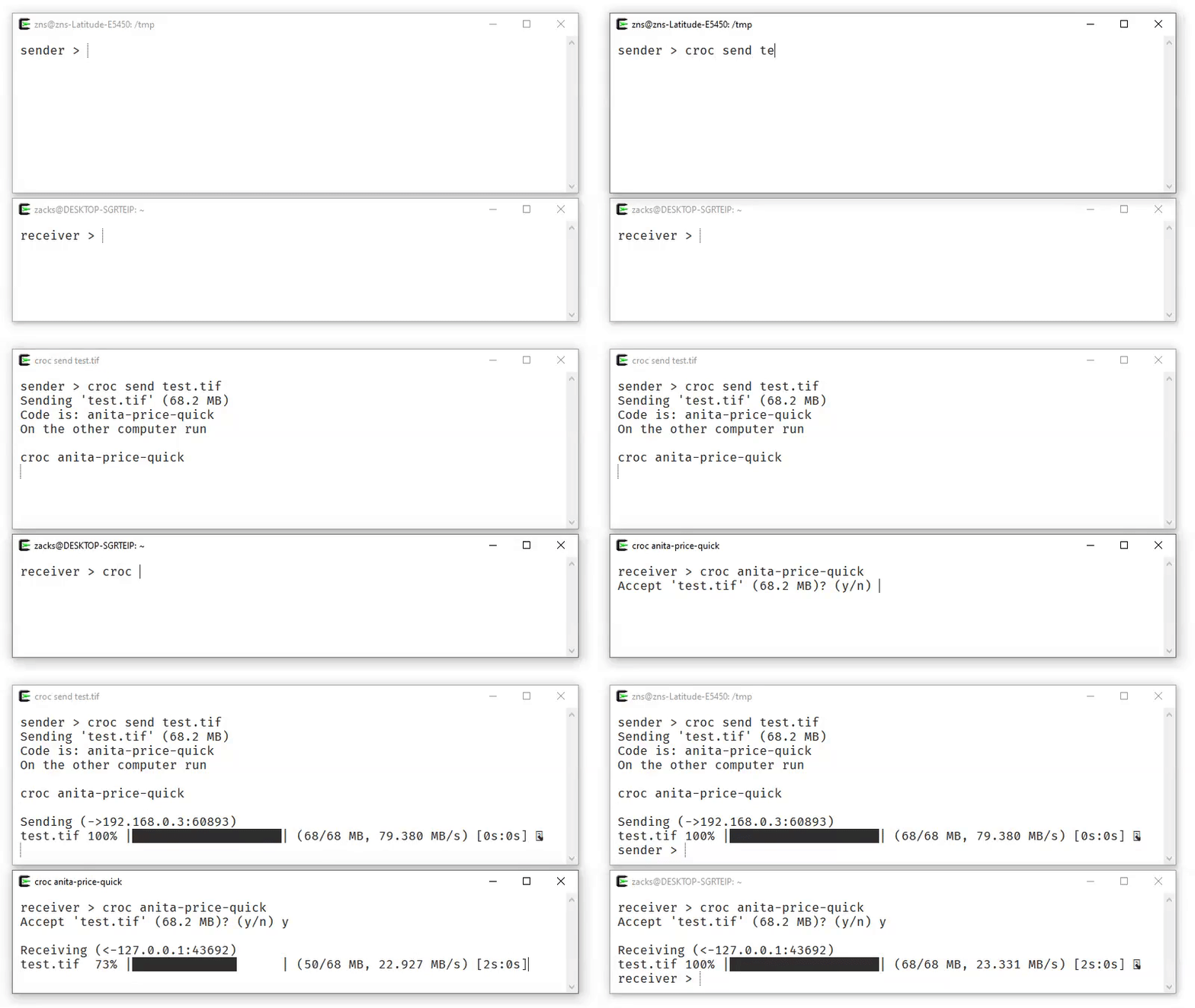
To send a file, simply do:
$ croc send [file(s)-or-folder]
Sending 'file-or-folder' (X MB)
Code is: code-phrase
Then, to receive the file (or folder) on another computer, run:
croc code-phrase
The code phrase is used to establish password-authenticated key agreement (PAKE) which generates a secret key for the sender and recipient to use for end-to-end encryption.
Customizations & Options
Using croc on Linux or macOS
On Linux and macOS, the sending and receiving process is slightly different to avoid leaking the secret via the process name. You will need to run croc with the secret as an environment variable. For example, to receive with the secret ***:
CROC_SECRET=*** croc
For single-user systems, the default behavior can be permanently enabled by running:
croc --classic
Custom Code Phrase
You can send with your own code phrase (must be more than 6 characters):
croc send --code [code-phrase] [file(s)-or-folder]
Allow Overwriting Without Prompt
To automatically overwrite files without prompting, use the --overwrite flag:
croc --yes --overwrite <code>
Excluding Folders
To exclude folders from being sent, use the --exclude flag with comma-delimited exclusions:
croc send --exclude "node_modules,.venv" [folder]
Use Pipes - stdin and stdout
You can pipe to croc:
cat [filename] | croc send
To receive the file to stdout, you can use:
croc --yes [code-phrase] > out
Send Text
To send URLs or short text, use:
croc send --text "hello world"
Use a Proxy
You can send files via a proxy by adding --socks5:
croc --socks5 "127.0.0.1:9050" send SOMEFILE
Change Encryption Curve
To choose a different elliptic curve for encryption, use the --curve flag:
croc --curve p521 <codephrase>
Change Hash Algorithm
For faster hashing, use the imohash algorithm:
croc send --hash imohash SOMEFILE
Clipboard Options
By default, the code phrase is copied to your clipboard. To disable this:
croc send --disable-clipboard [filename]
To copy the full command with the secret as an environment variable (useful on Linux/macOS):
croc send --extended-clipboard [filename]
This copies the full command like CROC_SECRET="code-phrase" croc (including any relay/pass flags).
Quiet Mode
To suppress all output (useful for scripts and automation):
croc --quiet send [filename]
Self-host Relay
You can run your own relay:
croc relay
By default, it uses TCP ports 9009-9013. You can customize the ports (e.g., croc relay --ports 1111,1112), but at least 2 ports are required.
To send files using your relay:
croc --relay "myrelay.example.com:9009" send [filename]
Self-host Relay with Docker
You can also run a relay with Docker:
docker run -d -p 9009-9013:9009-9013 -e CROC_PASS='YOURPASSWORD' schollz/croc
To send files using your custom relay:
croc --pass YOURPASSWORD --relay "myreal.example.com:9009" send [filename]
Acknowledgements
croc has evolved through many iterations, and I am thankful for the contributions! Special thanks to:
- @warner for the idea
- @tscholl2 for the encryption gists
- @skorokithakis for proxying two connections
And many more!
Discover Repositories
Search across tracked repositories by name or description