
jdx/mise
dev tools, env vars, task runner
Build with Backblaze B2
SDKs, agent skills, IDE extensions, and reference pipelines from Backblaze Labs. All open source.
Loading star history...
Use Cases & Benefits
- Mise is a Rust-based tool for managing development tools, environment variables, and task running across projects.
- It supports managing multiple versions of tools like node, python, terraform, and environment variables per directory.
- Mise combines features of asdf, direnv, and make, providing a unified interface for dev environment setup and automation.
- With 18,607 stars and active maintenance since 2023, it shows strong community adoption and reliability.
- Ideal for developers needing consistent, reproducible dev environments and task automation across diverse languages and tools.
About mise




What is it?
- Like asdf (or nvm or pyenv but for any language) it manages dev tools like node, python, cmake, terraform, and hundreds more.
- Like direnv it manages environment variables for different project directories.
- Like make it manages tasks used to build and test projects.
Demo
The following demo shows how to install and use mise to manage multiple versions of node on the same system.
Note that calling which node gives us a real path to node, not a shim.
It also shows that you can use mise to install and many other tools such as jq, terraform, or go.
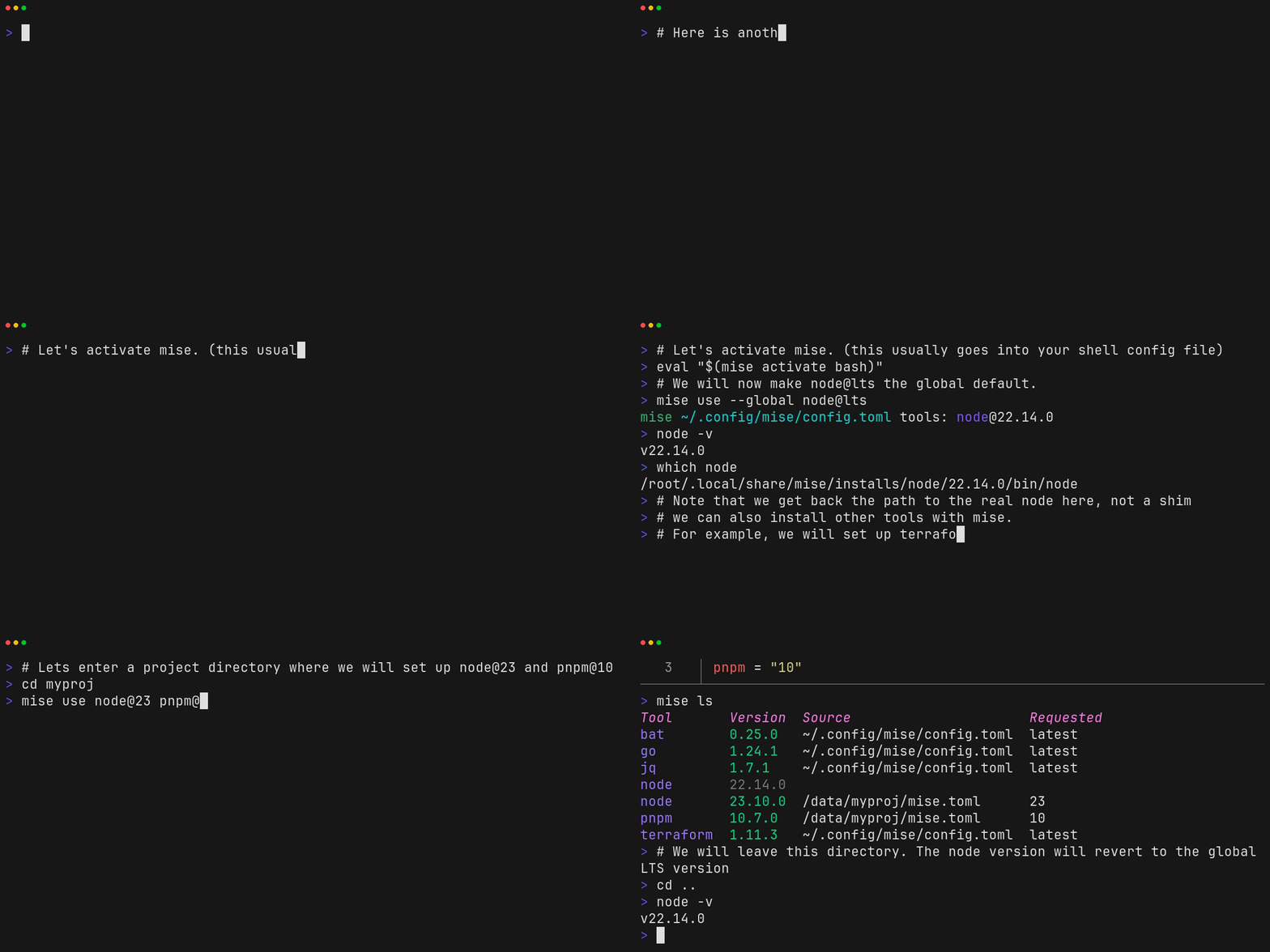
See demo transcript.
Quickstart
Install mise
See Getting started for more options.
$ curl https://mise.run | sh
$ ~/.local/bin/mise --version
2025.8.21 macos-arm64 (a1b2d3e 2025-08-27)
Hook mise into your shell (pick the right one for your shell):
# note this assumes mise is located at ~/.local/bin/mise
# which is what https://mise.run does by default
echo 'eval "$(~/.local/bin/mise activate bash)"' >> ~/.bashrc
echo 'eval "$(~/.local/bin/mise activate zsh)"' >> ~/.zshrc
echo '~/.local/bin/mise activate fish | source' >> ~/.config/fish/config.fish
echo '~/.local/bin/mise activate pwsh | Out-String | Invoke-Expression' >> ~/.config/powershell/Microsoft.PowerShell_profile.ps1
Execute commands with specific tools
$ mise exec node@22 -- node -v
mise [email protected] ✓ installed
v22.x.x
Install tools
$ mise use --global node@22 go@1
$ node -v
v22.x.x
$ go version
go version go1.x.x macos/arm64
See dev tools for more examples.
Manage environment variables
# mise.toml
[env]
SOME_VAR = "foo"
$ mise set SOME_VAR=bar
$ echo $SOME_VAR
bar
Note that mise can also load .env files.
Run tasks
# mise.toml
[tasks.build]
description = "build the project"
run = "echo building..."
$ mise run build
building...
See tasks for more information.
Example mise project
Here is a combined example to give you an idea of how you can use mise to manage your a project's tools, environment, and tasks.
# mise.toml
[tools]
terraform = "1"
aws-cli = "2"

[env]
TF_WORKSPACE = "development"
AWS_REGION = "us-west-2"
AWS_PROFILE = "dev"

[tasks.plan]
description = "Run terraform plan with configured workspace"
run = """
terraform init
terraform workspace select $TF_WORKSPACE
terraform plan
"""

[tasks.validate]
description = "Validate AWS credentials and terraform config"
run = """
aws sts get-caller-identity
terraform validate
"""

[tasks.deploy]
description = "Deploy infrastructure after validation"
depends = ["validate", "plan"]
run = "terraform apply -auto-approve"
Run it with:
mise install # install tools specified in mise.toml
mise run deploy
Find more examples in the mise cookbook.
Full Documentation
See mise.jdx.dev
Special Thanks
We're grateful for Cloudflare's support through Project Alexandria.
Contributors
Discover Repositories
Search across tracked repositories by name or description