
dandavison/delta
A syntax-highlighting pager for git, diff, grep, rg --json, and blame output
Build with Backblaze B2
SDKs, agent skills, IDE extensions, and reference pipelines from Backblaze Labs. All open source.
Loading star history...
Use Cases & Benefits
- Provides a syntax-highlighting pager for git, diff, grep, rg --json, and blame output to enhance code review readability.
- Offers extensive customization with language-aware syntax highlighting, side-by-side views, and improved merge conflict and blame displays.
- Use for improving the clarity and navigation of git diffs during code reviews with syntax-highlighted, side-by-side comparisons.
- Use for viewing and analyzing grep or ripgrep search results with syntax highlighting for easier pattern recognition.
- Use for resolving merge conflicts with enhanced visual styling and navigation to quickly identify and address conflicting changes.
About delta




Get Started
Install it (the package is called "git-delta" in most package managers, but the executable is just delta) and add this to your ~/.gitconfig:
[core]
    pager = delta

[interactive]
    diffFilter = delta --color-only

[delta]
    navigate = true  # use n and N to move between diff sections
    dark = true      # or light = true, or omit for auto-detection

[merge]
    conflictStyle = zdiff3
Or run:
git config --global core.pager delta
git config --global interactive.diffFilter 'delta --color-only'
git config --global delta.navigate true
git config --global merge.conflictStyle zdiff3
Delta has many features and is very customizable; please see delta -h (short help) or delta --help (full manual), or the online user manual.
Features
- Language syntax highlighting with the same syntax-highlighting themes as bat
- Word-level diff highlighting using a Levenshtein edit inference algorithm
- Side-by-side view with line-wrapping
- Line numbering
nandNkeybindings to move between files in large diffs, and between diffs inlog -pviews (--navigate)- Improved merge conflict display
- Improved
git blamedisplay (syntax highlighting;--hyperlinksformats commits as links to hosting provider etc. Supported hosting providers are: GitHub, GitLab, SourceHut, Codeberg) - Syntax-highlights grep output from
rg,git grep,grep, etc - Support for Git's
--color-movedfeature. - Code can be copied directly from the diff (
-/+markers are removed by default). diff-highlightanddiff-so-fancyemulation modes- Commit hashes can be formatted as terminal hyperlinks to the hosting provider page (
--hyperlinks). File paths can also be formatted as hyperlinks for opening in your OS. - Stylable box/line decorations to draw attention to commit, file and hunk header sections.
- Style strings (foreground color, background color, font attributes) are supported for >20 stylable elements, using the same color/style language as git
- Handles traditional unified diff output in addition to git output
- Automatic detection of light/dark terminal background
A syntax-highlighting pager for git, diff, and grep output
Code evolves, and we all spend time studying diffs. Delta aims to make this both efficient and enjoyable: it allows you to make extensive changes to the layout and styling of diffs, as well as allowing you to stay arbitrarily close to the default git/diff output.
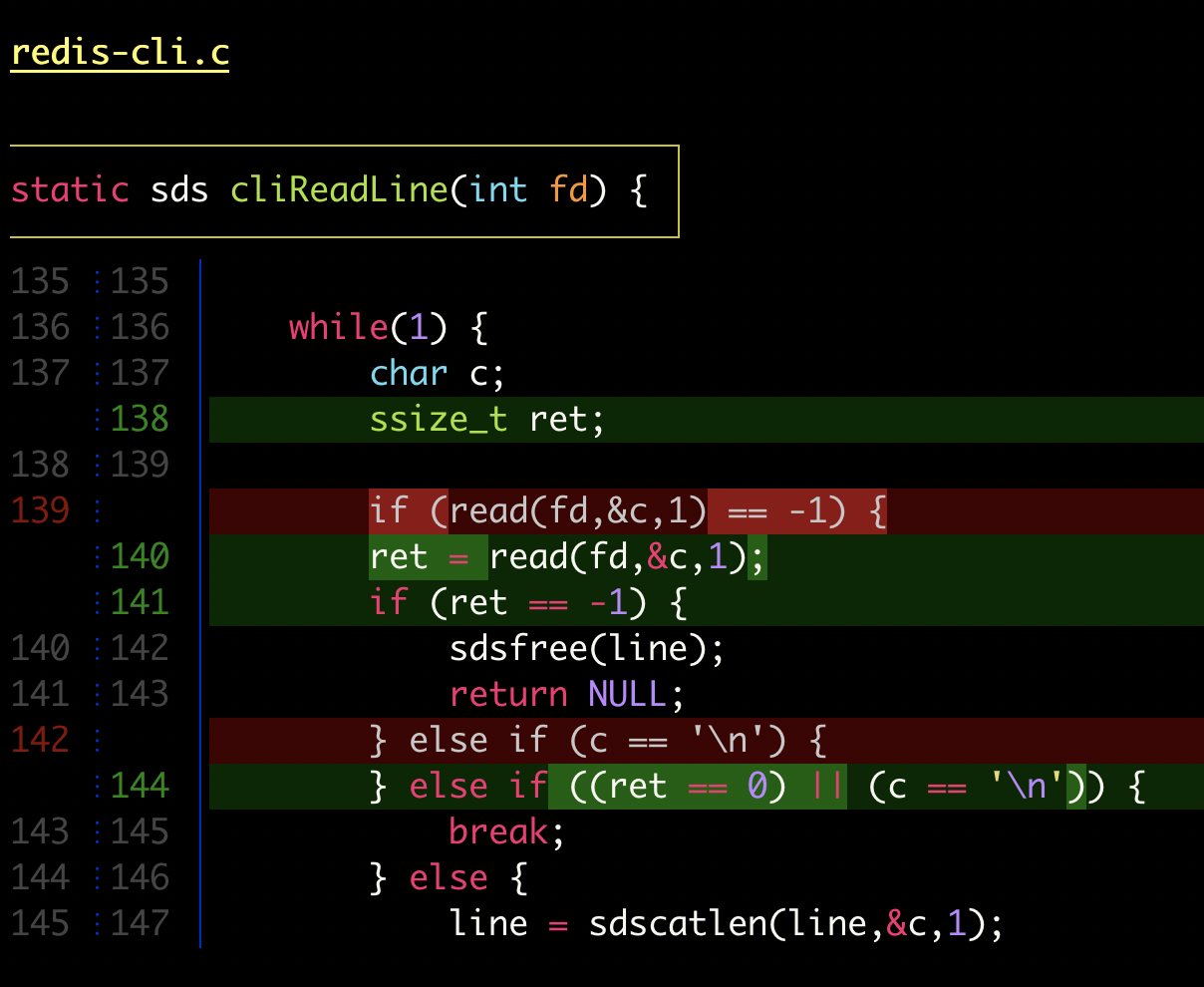
delta with |
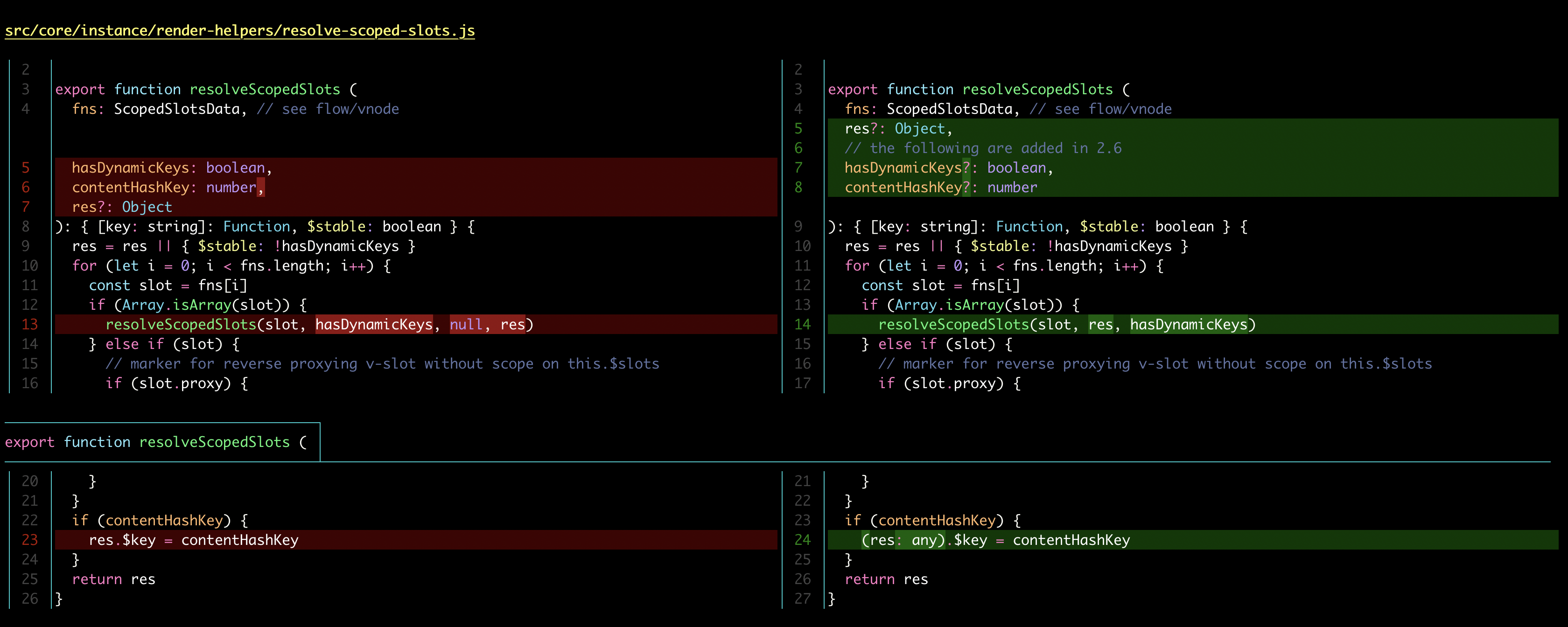
delta with |
Here's what git show can look like with git configured to use delta:

|

|
| "Dracula" theme | "GitHub" theme |
Syntax-highlighting themes
All the syntax-highlighting color themes that are available with bat are available with delta:

|

|
delta --show-syntax-themes --dark
|
delta --show-syntax-themes --light
|
Side-by-side view
[delta]
    side-by-side = true
By default, side-by-side view has line-numbers activated, and has syntax highlighting in both the left and right panels: [config]
|
Side-by-side view wraps long lines automatically:
 |
Line numbers
[delta]
    line-numbers = true
|
Merge conflicts
 |
Git blame
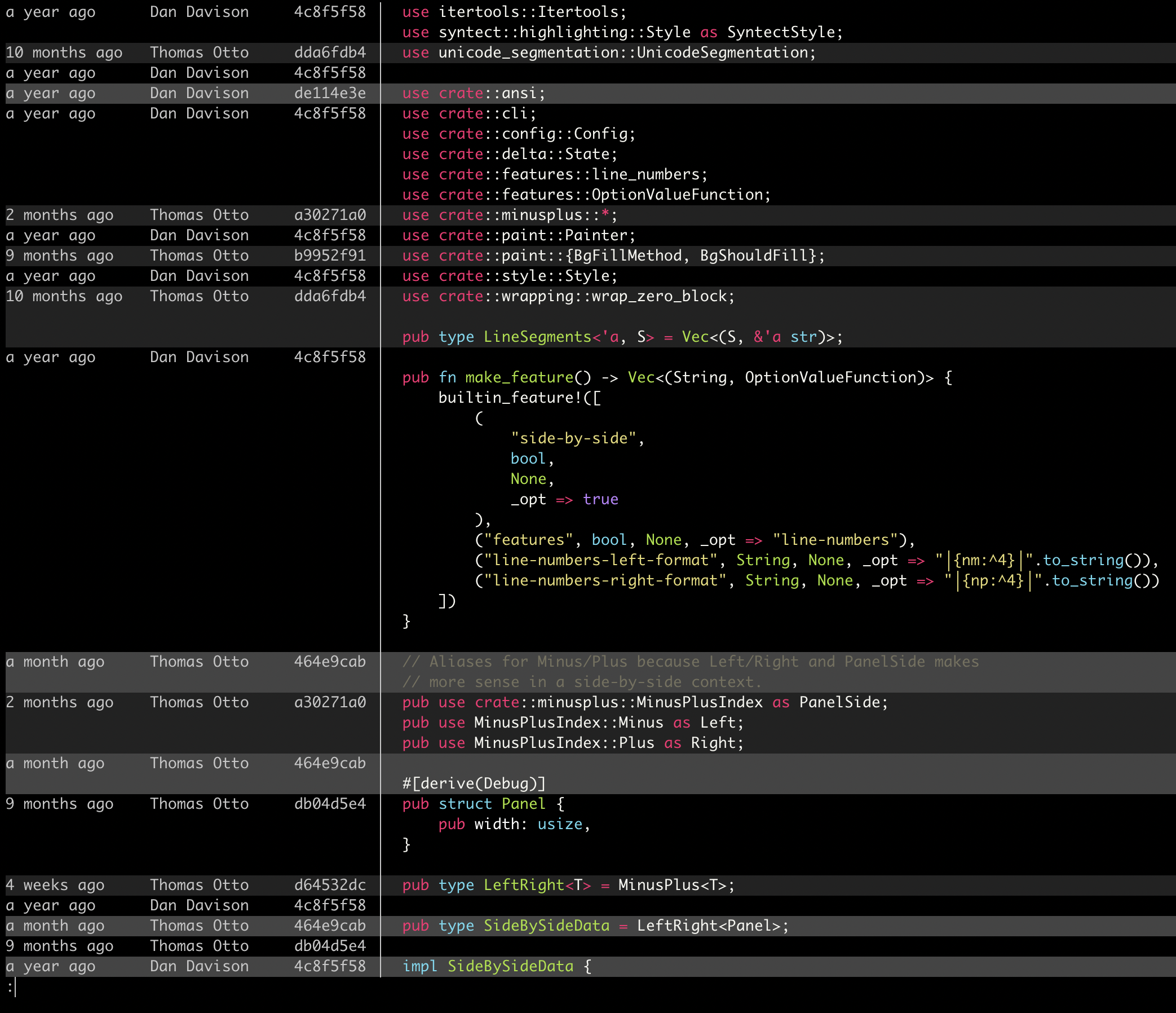 |
Ripgrep, git grep
|
|
Installation and usage
Please see the user manual and delta --help.
Maintainers
Discover Repositories
Search across tracked repositories by name or description