
BloopAI/vibe-kanban
Get 10X more out of Claude Code, Codex or any coding agent
Build with Backblaze B2
SDKs, agent skills, IDE extensions, and reference pipelines from Backblaze Labs. All open source.
Loading star history...
Use Cases & Benefits
- Orchestrates and manages multiple AI coding agents using a Kanban-style task board to streamline coding workflows.
- Enables seamless switching and parallel execution of various AI coding agents, centralizing task tracking and configuration.
- Use for coordinating multiple AI coding agents to automate and monitor complex software development tasks.
- Use for developers needing a unified interface to review, manage, and start development servers for AI-generated code.
- Use for teams wanting to centralize configuration and status tracking of AI coding agents across projects.
About vibe-kanban

Get 10X more out of Claude Code, Gemini CLI, Codex, Amp and other coding agents...



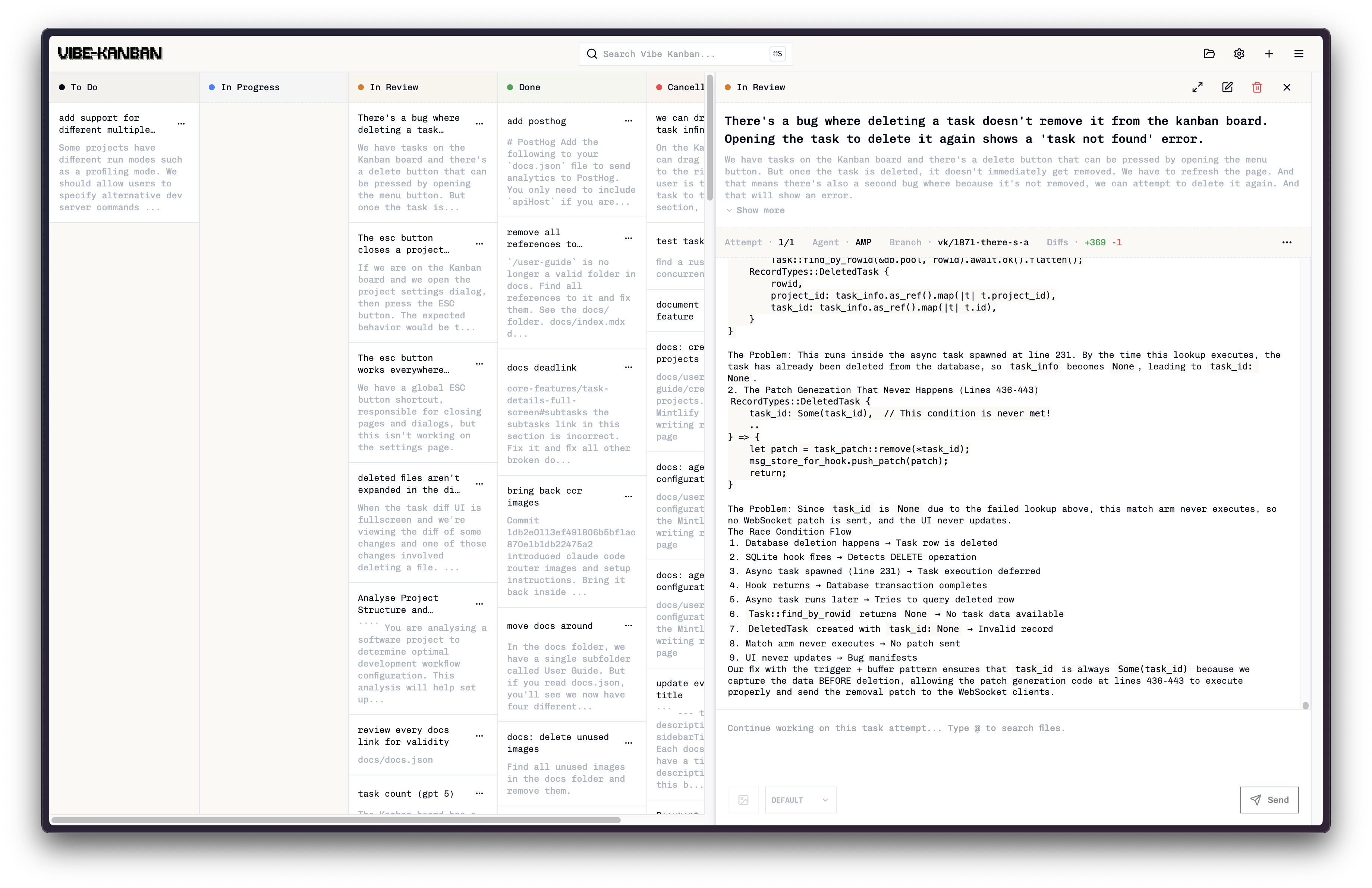
Overview
AI coding agents are increasingly writing the world's code and human engineers now spend the majority of their time planning, reviewing, and orchestrating tasks. Vibe Kanban streamlines this process, enabling you to:
- Easily switch between different coding agents
- Orchestrate the execution of multiple coding agents in parallel or in sequence
- Quickly review work and start dev servers
- Track the status of tasks that your coding agents are working on
- Centralise configuration of coding agent MCP configs
You can watch a video overview here.
Installation
Make sure you have authenticated with your favourite coding agent. A full list of supported coding agents can be found in the docs. Then in your terminal run:
npx vibe-kanban
Documentation
Please head to the website for the latest documentation and user guides.
Support
Please open an issue on this repo if you find any bugs or have any feature requests.
Contributing
We would prefer that ideas and changes are raised with the core team via GitHub issues, where we can discuss implementation details and alignment with the existing roadmap. Please do not open PRs without first discussing your proposal with the team.
Development
Prerequisites
Additional development tools:
cargo install cargo-watch
cargo install sqlx-cli
Install dependencies:
pnpm i
Running the dev server
pnpm run dev
This will start the frontend and backend with live reloading. A blank DB will be copied from the dev_assets_seed folder.
Build from source
- Run
build-npm-package.sh - In the
npx-clifolder runnpm pack - You can run your build with
npx [GENERATED FILE].tgz
Environment Variables
The following environment variables can be configured at build time or runtime:
| Variable | Type | Default | Description |
|---|---|---|---|
GITHUB_CLIENT_ID | Build-time | Ov23li9bxz3kKfPOIsGm | GitHub OAuth app client ID for authentication |
POSTHOG_API_KEY | Build-time | Empty | PostHog analytics API key (disables analytics if empty) |
POSTHOG_API_ENDPOINT | Build-time | Empty | PostHog analytics endpoint (disables analytics if empty) |
BACKEND_PORT | Runtime | 0 (auto-assign) | Backend server port |
FRONTEND_PORT | Runtime | 3000 | Frontend development server port |
HOST | Runtime | 127.0.0.1 | Backend server host |
DISABLE_WORKTREE_ORPHAN_CLEANUP | Runtime | Not set | Disable git worktree cleanup (for debugging) |
Build-time variables must be set when running pnpm run build. Runtime variables are read when the application starts.
Custom GitHub OAuth App (Optional)
By default, Vibe Kanban uses Bloop AI's GitHub OAuth app for authentication. To use your own GitHub app for self-hosting or custom branding:
- Create a GitHub OAuth App at GitHub Developer Settings
- Enable "Device Flow" in the app settings
- Set scopes to include
user:email,repo - Build with your client ID:
GITHUB_CLIENT_ID=your_client_id_here pnpm run build
Discover Repositories
Search across tracked repositories by name or description